Acer Chromebook Plus 515 15.6" CB515-2HT-33M4 2025, Core i3-1305U, 8GB, 256GB SSD, Gray
Der Intel Core i3-1305U und das 15,6-Zoll-IPS-Touchdisplay mit Full-HD-Auflösung sorgen für flüssiges Arbeiten und Unterhaltung, unterstützt von 8 GB LPDDR5X-RAM und 256 GB SSD. Die Integration von Google AI Pro und Gemini sowie der Titan C2-Sicherheitschip machen ihn besonders attraktiv für ChromeOS-Nutzer. Dieses Chromebook ist ideal für Studenten und mobile Berufstätige, die Wert auf Portabilität und Google-Apps legen.

Derzeit kein aktueller Händlerpreis


Überblick
The 30-Second Version
A big, cheap Chromebook that's great for basics but has a touchpad that'll make you want to throw it out a window. Buy it on sale, not at full price.
Pros & Cons
Vorteile
- Great value for the price 86th
- Fast startup and snappy everyday performance 78th
- Large, clear 15.6-inch touchscreen
- Solid build quality for a budget laptop
Nachteile
- Touchpad quality is genuinely bad
- Speakers are weak and quiet
- Not actually backlit despite what some listings claim
- Performance tanks with heavier workloads
Was Besitzer sagen
The Word on the Street
Wie sich die Meinung der Besitzer im Lauf der Zeit verändert hat
ExklusivBasierend darauf, wann Kunden ihre Bewertungen tatsächlich geschrieben haben - so sehen Sie, ob das anfängliche Lob anhielt.
7 geschriebene Rezensionen, Juli 2025 – Feb. 2026: 6 zufrieden, 1 unzufrieden
Über alle 141 Shop-Bewertungen: 4,3★. Die meisten Besitzer bewerten, ohne eine Rezension zu schreiben. Das Diagramm zählt die 7 geschriebenen Rezensionen.
Jeder Punkt ist eine geschriebene Rezension, im Monat, in dem sie verfasst wurde. Zufrieden = 4-5★, gemischt = 3★, unzufrieden = 1-2★.
Die Fakten
Performance
The Intel Core i3-1305U with 8GB of LPDDR5X RAM handles everyday tasks like web browsing, document editing, and video streaming without breaking a sweat. Startup is fast, and multiple tabs stay responsive. But don't expect miracles. The integrated Intel UHD Graphics puts this thing near the bottom of the barrel for gaming, and the CPU sits in the 29th percentile overall. For a Chromebook, that's fine. For anything heavier, it's a stretch.
Specifications
Full Specifications
Processor
| CPU | Intel Core i3 1305U |
| Cores | 5 |
| Frequency | 1.6 GHz |
| L3 Cache | 10 MB |
Graphics
| GPU | Intel UHD Graphics |
| Type | Integrated |
| VRAM Type | Shared |
Memory & Storage
| RAM | 8 GB |
| RAM Generation | LPDDR5X |
| Storage | 256 GB |
| Storage Type | SSD |
Display
| Size | 15.6" |
| Resolution | 1920x1080 (Full HD) |
| Panel | IPS |
| Refresh Rate | 60 Hz |
Connectivity
| USB-C Ports | 2 |
| USB Ports | 1 |
| HDMI | HDMI 1.4 |
| Wi-Fi | Wi-Fi 6E |
| Bluetooth | Bluetooth 5.1 |
Physical
| Weight | 1.7 kg / 3.7 lbs |
| OS | ChromeOS |
vs Competition
Stacked against the MacBook Air M5 or ASUS Zenbook, this Acer feels like a toy. Those machines are in a completely different league for performance and build quality. But they also cost three to four times as much. The real competition is other budget Chromebooks and Windows laptops in the $400-500 range. The Lenovo ThinkPad T14 Gen 6 is more reliable but pricier. The HP OmniBook X Flip offers better portability. For pure value, this Acer holds its own, but the touchpad complaints are a red flag.
| Spec | Acer Chromebook Plus 515 15.6" CB515-2HT-33M4 | Apple MacBook Pro 14.2" M4 Max | ASUS ROG Zephyrus 14" GA403WW-G14.R95080 | Lenovo Legion Pro 7i Gen 10 16" | HP OMEN Transcend | Samsung Galaxy Book5 Pro 14" NP944XHA-KG3US |
|---|---|---|---|---|---|---|
| CPU | Intel Core i3 1305U | Apple M4 Max | AMD Ryzen AI 9 HX 370 | Intel Core Ultra 9 275HX | Intel Core Ultra 9 285H | Intel Core Ultra 7 258V |
| RAM (GB) | 8 | 64 | 32 | 32 | 32 | 32 |
| Storage (GB) | 256 | 4096 | 2048 | 1024 | 1024 | 1024 |
| Screen | 15.6" 1920x1080 | 14.2" 3024x1964 | 14" 2880x1800 | 16" 2560x1600 | 14" 2880x1800 | 14" 2880x1800 |
| GPU | Intel UHD Graphics | Apple (40-Core) | NVIDIA GeForce RTX 5080 | NVIDIA GeForce RTX 5070 Ti | NVIDIA GeForce RTX 5070 | Intel Arc Graphics 140V |
| OS | ChromeOS | macOS | Windows 11 Home | Windows 11 Home | Windows 11 Home | Windows 11 Pro |
| Weight (kg) | 1.7 | 1.6 | 1.6 | 2.7 | 1.6 | 1.2 |
| Battery (Wh) | - | 72 | - | 99 | 71 | 63 |
| Compare | Compare | Compare | Compare | Compare |
| Produkt | CPU | GPU | RAM | Anschlüsse | Display | Mobilität | Speicher | User Sentiment | Zuverlässigkeit | Nutzerresonanz | Affordability |
|---|---|---|---|---|---|---|---|---|---|---|---|
| Acer Chromebook Plus 515 15.6" CB515-2HT-33M4 | 28.5 | 28 | 20.5 | 45.5 | 37.5 | 49.4 | 15.6 | 37.8 | 10.9 | 85.6 | 78.4 |
| Apple MacBook Pro 14.2" M4 Max Compare | 93.7 | 91.5 | 95.6 | 73.8 | 99.1 | 68.9 | 98.4 | 99 | 98.3 | 73.3 | 1.9 |
| ASUS ROG Zephyrus 14" GA403WW-G14.R95080 Compare | 91.2 | 98.3 | 90.8 | 89.4 | 96 | 73.7 | 89.7 | 99 | 60.7 | 96.6 | 6 |
| Lenovo Legion Pro 7i Gen 10 16" Compare | 97.2 | 96.7 | 89 | 97.3 | 94.9 | 9.5 | 79.1 | 90.8 | 82.1 | 99.7 | 5.7 |
| HP OMEN Transcend Compare | 90.1 | 93.5 | 89.6 | 89.4 | 96 | 72.3 | 65.1 | 81.3 | 33.7 | 94.2 | 8.9 |
| Samsung Galaxy Book5 Pro 14" NP944XHA-KG3US Compare | 65.7 | 69.5 | 79.4 | 83.4 | 90.3 | 89.5 | 79.1 | 0 | 82.1 | 96.6 | 21 |
Preis
Value & Pricing
At $450, this Chromebook is a decent deal if you need a big screen and ChromeOS simplicity. The 12 months of Google AI Pro and 2TB of storage sweeten the pot. But the reliability concerns and touchpad issues mean you're rolling the dice. If you can find it on sale, it's worth a look. At full price, there are safer bets.
Mehr erfahren
Overview
The Acer Chromebook Plus 515 is a budget-friendly 15.6-inch Chromebook that nails the basics and throws in a touchscreen, but it's not without some rough edges. The one thing to know? It's a solid value for students and casual users who live in ChromeOS, but the touchpad and speakers are weak spots that could drive you crazy.
Common Questions
Q: Is the keyboard backlit?
No, despite what some listings claim. The keyboard is not backlit, which is a bummer if you work in dim lighting.
Q: Can this run Android apps?
Yes, ChromeOS supports Google Play Store apps, so you can install most Android apps without issue.
Q: How's the battery life?
Acer claims up to 10 hours, but real-world use will be lower. Expect around 7-8 hours with mixed browsing and video.
Who Should Skip This
If you need a reliable touchpad or decent speakers, this isn't it. Go grab a Lenovo ThinkPad or a MacBook Air instead. If you're a gamer or need serious processing power, look elsewhere entirely.
Verdict
If you need a cheap, big-screen Chromebook for school or light work, the Acer Chromebook Plus 515 gets the job done. Just know that the touchpad is a known weak point and the speakers are disappointing. If you can live with those flaws, it's a solid buy. If not, spend a bit more on something more reliable.
Usage Scores
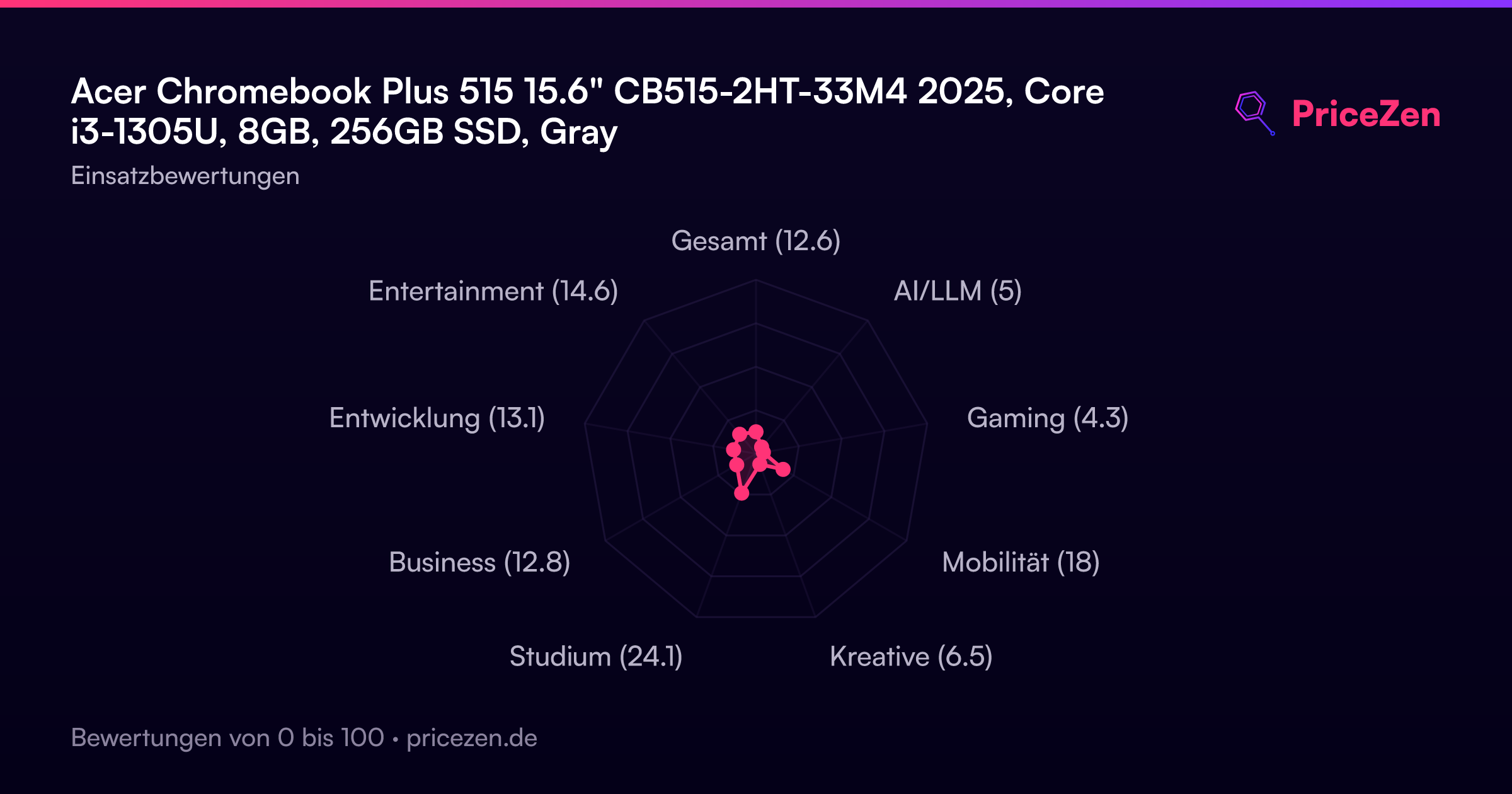
- Gesamt12.6
- AI/LLM5
- Gaming4.3
- Mobilität18
- Kreative6.5
- Studium24.1
- Business12.8
- Entwicklung13.1
- Entertainment14.6