ORICO Y20 128GB SATA III 2.5"
The 128GB ORICO Y20 delivers 500 MB/s reads and 450 MB/s writes over SATA III, backed by TLC NAND and a 1,500,000-hour MTBF. It supports SMART, NCQ, and TRIM for data integrity, and comes in capacities up to 4TB. Best for budget-conscious users upgrading older desktops or laptops, though its 4.4/5 rating from 1,954 reviews suggests solid reliability.

No current retailer price


Snapshot
The 30-Second Version
A USD 30 defibrillator for old computers, not a drive you build a system around. Brilliant at resurrecting, useless at storing.
Pros & Cons
Pros
- Absurdly cheap. Top-tier affordability in our rankings at USD 30 96th
- Owners consistently report dramatically faster boots on old laptops and desktops
- TLC NAND plus TRIM, NCQ and SMART at a price where you'd expect cut corners
- 4.4/5 across 1954 reviews, and buyers say ORICO support actually answers
Cons
- 128GB is a real letdown for capacity, bottom of the barrel in our data
- SATA speed lags behind most of the category, and owners notice the NVMe gap
- Warranty terms contradict each other between listings, and one buyer's dead drive turned into a support slog
- No temperature sensor reporting, so you're flying blind on thermals
What owners think
The Word on the Street
How owner sentiment changed over time
ExclusiveBased on when customers actually wrote their reviews - so you can see whether early praise held up.
22 written reviews, Jun 2025 – Apr 2026: 20 happy, 2 unhappy
Across all 1,950 store ratings: 4.4★. Most owners rate without writing a review. The chart counts the 22 written reviews.
- Jan – Mar 202614 of 15 happy
Buyers report significant speed improvements over HDDs, easy installation, and good value. Some note price increases and limited capacity, with one DOA drive.
- Boot times and overall responsiveness greatly improved compared to mechanical drives.
- Easy installation in laptops and other devices; works well for OS and light use.
- Good value at low price, but some mention recent price increases and limited 128GB capacity.
- One drive arrived dead (DOA), raising reliability concerns.
- Oct – Dec 20254 of 4 happy
Buyers report the SSD works well, is fast, silent, and easy to install. One user noted a need for an adapter due to size, and another had a separate computer issue, but overall satisfaction is high.
- Fast performance and stable operation, with programs opening quickly and system stability noted.
- Easy installation, plug-and-play, and good fit, though one user needed an adapter for a desktop bay.
- Silent operation due to no moving parts, a notable improvement over HDDs.
- One user's computer broke after repair, but not attributed to the drive; another had a Win 7 install glitch unrelated to the SSD.
Each dot is one written review, in the month it was written. Happy = 4-5★, mixed = 3★, unhappy = 1-2★. Period summaries are in English.
The proof
Performance
The spec sheet reads fine: 500 MB/s read, 450 MB/s write over SATA III 6Gbps, TLC NAND rather than the cheaper QLC stuff, plus SMART, NCQ and TRIM support. That's near the ceiling of what SATA can do, and yet speed ranks only 16th percentile in our comparison set, because the category has moved on to NVMe and this interface simply can't keep up. Endurance is about average, with a 1,500,000 hour MTBF claim. The warranty story is messier than it should be: the spec listing says 3 years while ORICO's own product copy says 12 months, and one owner who believed they had longer coverage got stuck chasing a replacement after a year. Sort that out with the seller before you buy, not after.
Specifications
Full Specifications
Drive
| Capacity | 128 |
| Form Factor | 2.5" |
| Interface | SATA III |
| Protocol | SATA |
| External | No |
Performance
| Sequential Read (MB/s) | 500 |
| Sequential Write (MB/s) | 450 |
Hardware
| NAND | TLC |
Reliability
| MTBF (hours) | 1500000 |
| Warranty (years) | 3 |
vs Competition
Cross-shop the fanxiang S501Q first if you're staying in bargain-bin territory, since it's the closest fight on price and the Y20's only real weapon is that top-tier affordability. If you're tempted by the Crucial P5 Plus, PNY CS2241 or ADATA LEGEND 860, understand what you're comparing: the Y20's 500 MB/s SATA ceiling is why it ranks 16th percentile on speed, and no amount of savings fixes that. The Intel 660p Series is the other name worth a look, but the Y20's TLC NAND is the one spec advantage it can honestly claim in this crowd. Pick the Y20 only when the job is small and the machine is old.
| Spec | ORICO Y20 | Western Digital WD_BLACK SN8100 | Samsung 9100 PRO | Kingston FURY Renegade | Crucial T700 | SanDisk WD_BLACK |
|---|---|---|---|---|---|---|
| Capacity | 128GB | 4TB | 8TB | 4TB | 2TB | 8TB |
| Form Factor | 2.5" | M.2 2280 | M.2 2280 | M.2 2280 | M.2 2280 | M.2 2280 |
| Interface | SATA III | PCIe 5.0 x4 | PCIe 5.0 x4 | PCIe 4.0 x4 | PCIe 5.0 x4 | PCIe 5.0 x4 |
| Seq Read | 500 MB/s | 14,900 MB/s | 14,800 MB/s | 7,300 MB/s | 12,400 MB/s | 14,900 MB/s |
| Nand Type | TLC | TLC | TLC | TLC | TLC | TLC |
| Dram Cache | - | false | true | true | true | true |
| Endurance | - | 2400 TBW | 4800 TBW | 4000 TBW | 1200 TBW | 4800 TBW |
| Compare | Compare | Compare | Compare | Compare |
| Product | Speed | Random | Feature | Capacity | User Sentiment | Endurance | Social Proof | Affordability |
|---|---|---|---|---|---|---|---|---|
| ORICO Y20 | 15.8 | 23 | 52.2 | 7.2 | 43.1 | 50 | 57.5 | 95.5 |
| Western Digital WD_BLACK SN8100 Compare | 99.7 | 99.6 | 85.2 | 92.6 | 94.9 | 80.5 | 94.9 | 8.4 |
| Samsung 9100 PRO Compare | 99.3 | 99.8 | 99.7 | 98.1 | 57 | 85.7 | 94.9 | 1.9 |
| Kingston FURY Renegade Compare | 93.4 | 94.4 | 93.9 | 92.6 | 78.9 | 94 | 94.9 | 10.4 |
| Crucial T700 Compare | 96.7 | 97.7 | 97.4 | 78.5 | 78.9 | 82.6 | 75.1 | 21.8 |
| SanDisk WD_BLACK Compare | 99.1 | 99.3 | 97.4 | 98.1 | 94.9 | 80.5 | 40 | 3.1 |
Price
Value & Pricing
At USD 30 from Amazon it's a no-brainer for a revival job. Newegg wants USD 50 for the same drive, a USD 20 spread we track across listings, and there is zero reason to pay it. Buy from Amazon. Just don't confuse cheap with good value at scale: our budget score of 60.1/100 says the price is great but the drive around it is modest.
Read more
Overview
The ORICO Y20 is a cheap way to make an old computer stop feeling old, and that's the whole pitch. At USD 30 on Amazon right now, it is one of the most affordable drives in our data, basically at the top of the pile. Owners back that up: boot times drop hard when you swap out a spinning drive, and installation is painless.
But here's the thing to know before you click buy: this is the 128GB model, and capacity is where it falls apart. It ranks near the bottom against everything else in its category. Our scoring model gives it 28.3/100 overall and only 60.1/100 even on the budget axis. Great little revival drive, terrible main drive.
Common Questions
Q: Is 128GB enough for a Windows boot drive?
Technically yes, practically no. You'll fit the OS and a couple of programs and then start fighting for space. This model ranks near the bottom for capacity in our data. Use it as a secondary or project drive, or step up to a larger Y20 size.
Q: Will it fit my old laptop or desktop?
If the machine takes a 2.5-inch SATA drive, yes. It's a standard SATA III 6Gbps SSD, and owners swapping out failed hard drives report straightforward installs. It won't slot into an M.2-only board.
Q: How fast is it compared to an NVMe SSD?
Slower, and not close. 500 MB/s read and 450 MB/s write is the SATA limit, which puts it well behind most of the category on speed. Against a mechanical hard drive it's night and day. Against NVMe, it loses.
Who Should Skip This
If you want a main system drive with room to breathe, this isn't it. 128GB and a SATA speed ceiling will frustrate you fast. Go look at the Crucial P5 Plus or ADATA LEGEND 860 instead, and if you're purely chasing the lowest price, cross-shop the fanxiang S501Q before settling.
Verdict
Buy it for one specific job: bringing a dying hard drive laptop, an all-in-one, or a Raspberry Pi project back to life for USD 30. Owner sentiment sits at 78/100 in our analysis, driven almost entirely by value and boot speed, and that matches what the specs promise. Skip it as your primary drive. The 128GB capacity and SATA speed cap mean you'll be uninstalling things within a month, and our 28.3/100 overall score reflects exactly that.
Usage Scores
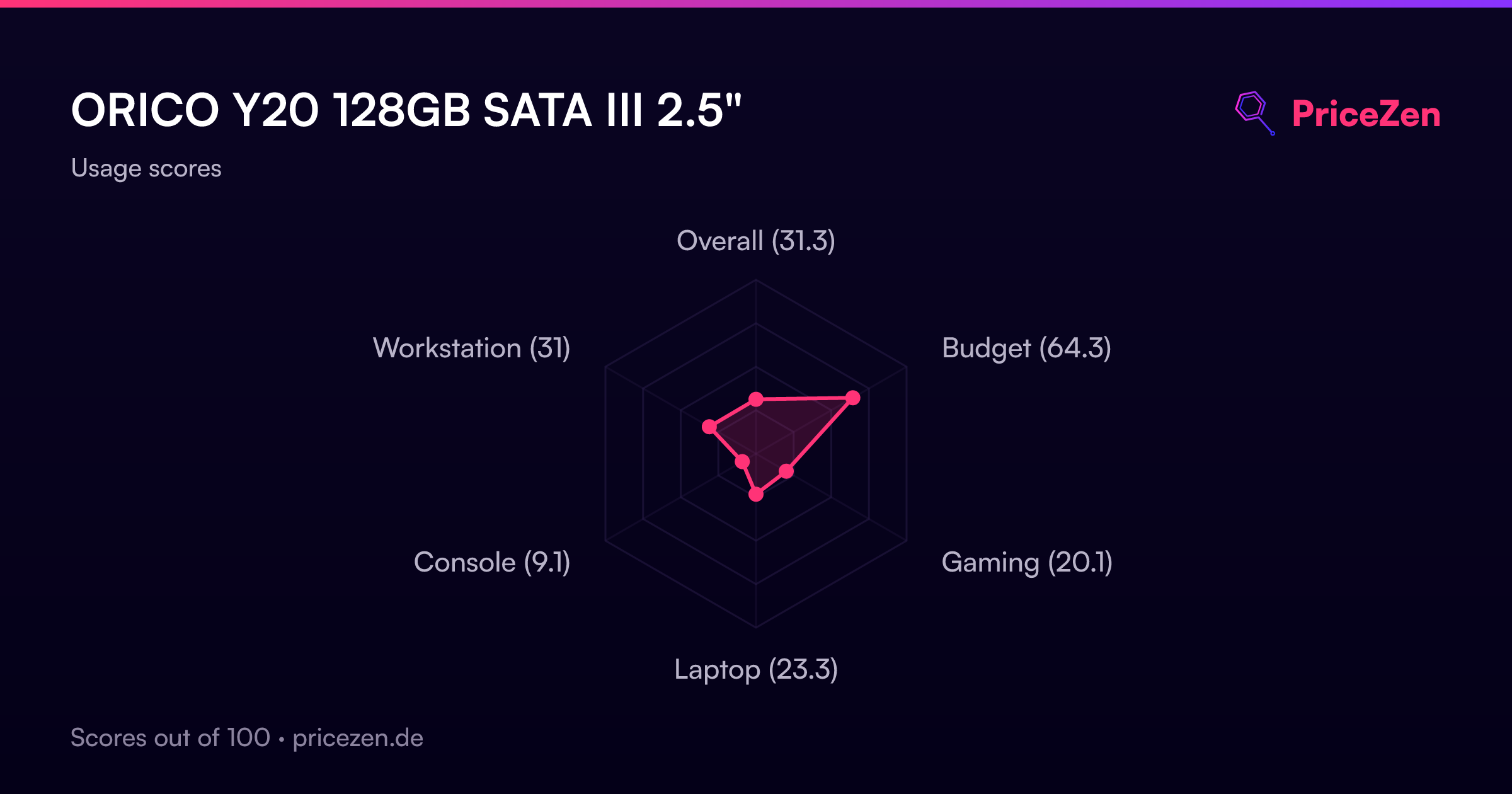
- Overall27.4
- Budget59.3
- Gaming17.7
- Laptop19.5
- Console8
- Portable6
- Workstation27.9